
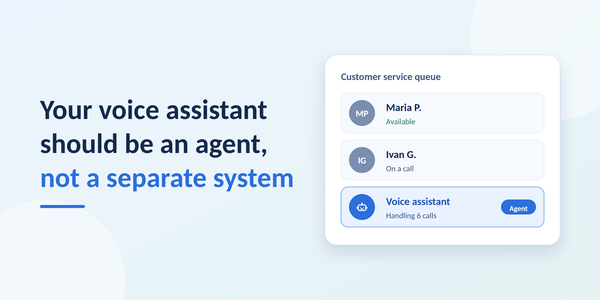
AI voice assistants can now hold a real conversation. They take bookings, check order status and answer the same question for the hundredth time without getting tired. More and more contact centers are adding one. But how you add a voice assistant matters as much as which one you choose.
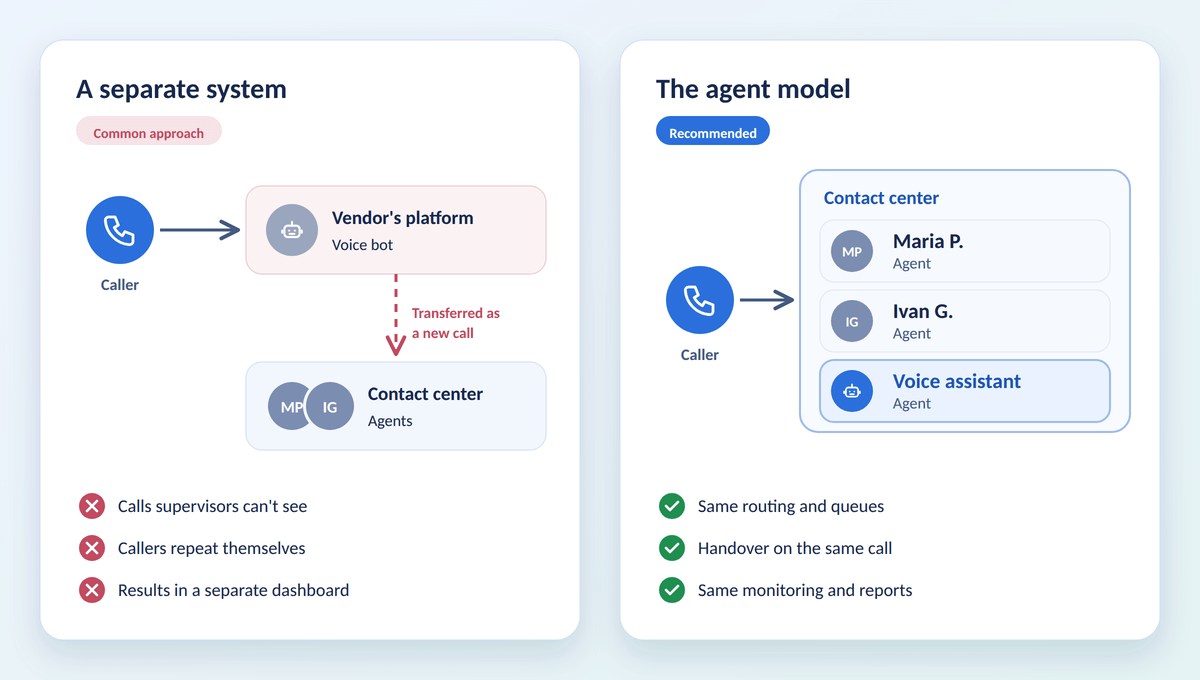
The common approach is to run the voice bot beside the contact center. Calls go to the vendor's platform, the bot handles what it can, and everything else is pushed back over the wall. It works well in a demo. In daily operation, it creates a second system that nobody fully controls.
There is a better model: treat the voice assistant like a new agent on your team.
What "a separate system" looks like in practice
When a voice bot runs beside the contact center rather than inside it, the same four problems tend to appear.
- Calls you can't see. Supervisors watch their queues and agents in real time, but the calls the bot handles happen somewhere else. Problems surface as customer complaints, not as something a supervisor noticed.
- Customers who repeat themselves. When the bot gives up, the call reaches an agent like a brand-new call. The agent doesn't know what the caller already said, so the conversation starts again from the beginning.
- Two sets of numbers. The bot reports in its vendor's dashboard, with the vendor's definition of success. Your agents are measured in your own reports. Comparing the two is guesswork.
- Lock-in. Routing, phone numbers and call history end up built around one vendor's platform. Changing vendors means starting over.
The agent model
In the agent model, the voice assistant works inside your contact center software as one more agent. It receives calls through the same routing rules as your people, it is monitored on the same screens, and its results land in the same reports. When it can't help, it hands the call to a colleague without the caller hanging up. The vendor provides the assistant's intelligence; your contact center stays in charge of everything around it.
Think of it as hiring. You wouldn't give a new employee a separate phone system, a separate set of customers and a separate way of reporting. You would put them in the team, give them the calls they're ready for, and watch how they do.
Six reasons to treat your voice assistant as an agent
1. You decide which calls it takes
A new hire doesn't get your most important customers on day one. Neither should a voice assistant. When the assistant is an agent, your existing routing rules decide which calls it receives: one phone line or service, callers who aren't in your CRM yet, or a specific customer group. VIP customers can stay with your agents. As the results come in, you widen the scope.
2. Handovers without starting over
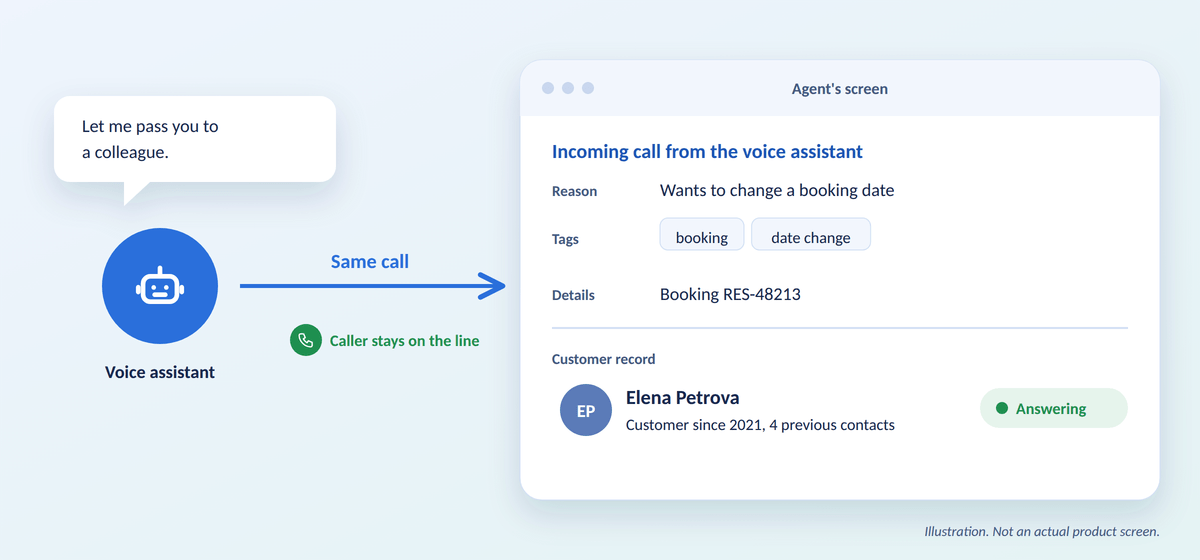
When the assistant can't help, the caller stays on the same call. The agent who picks up sees why the assistant passed the call, the topic it was about and the details it collected, such as a booking number, with the customer's record already on screen. The agent can start with "I see you'd like to change your booking", not "How can I help you?"
3. Supervision like any other agent
Supervisors see how many calls the assistant is handling and how many are waiting, and they can listen to any of its calls in real time, exactly as they do for agents. If you record calls, the assistant's calls are recorded too, and kept in the same place as the rest of the customer's history.
4. The same yardstick for everyone
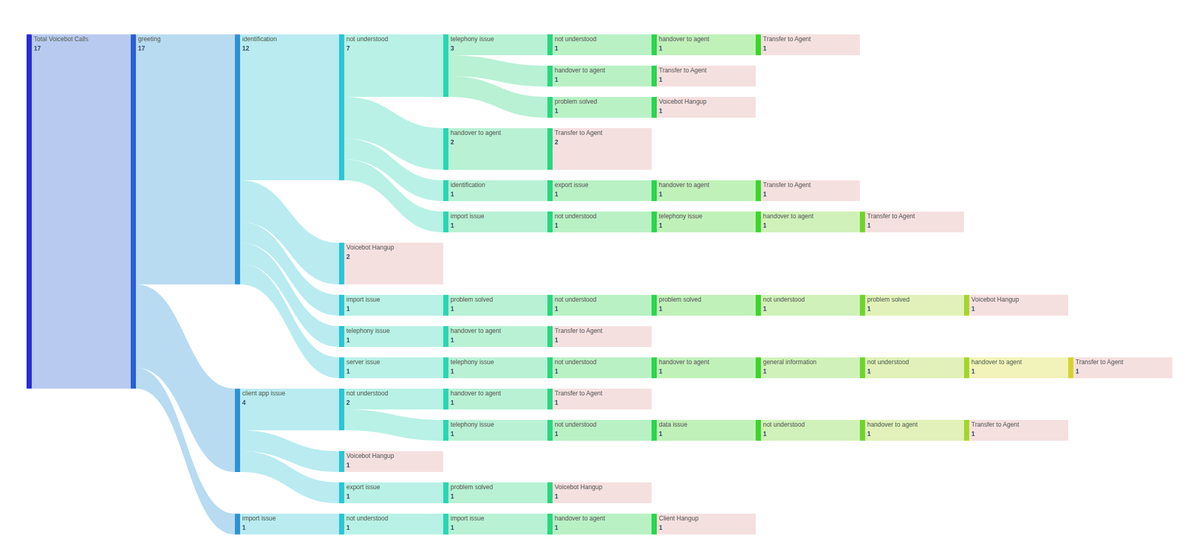
The assistant's results appear in the same reports as your agents'. A flow report built from the path of each conversation shows where callers get stuck, which topics the assistant resolves and which always end with an agent. Because the report is produced by your contact center software rather than by the vendor, two different assistants are measured in exactly the same way. That makes decisions about scope, and about vendors, a matter of numbers rather than impressions.
5. A safety net when the assistant fails
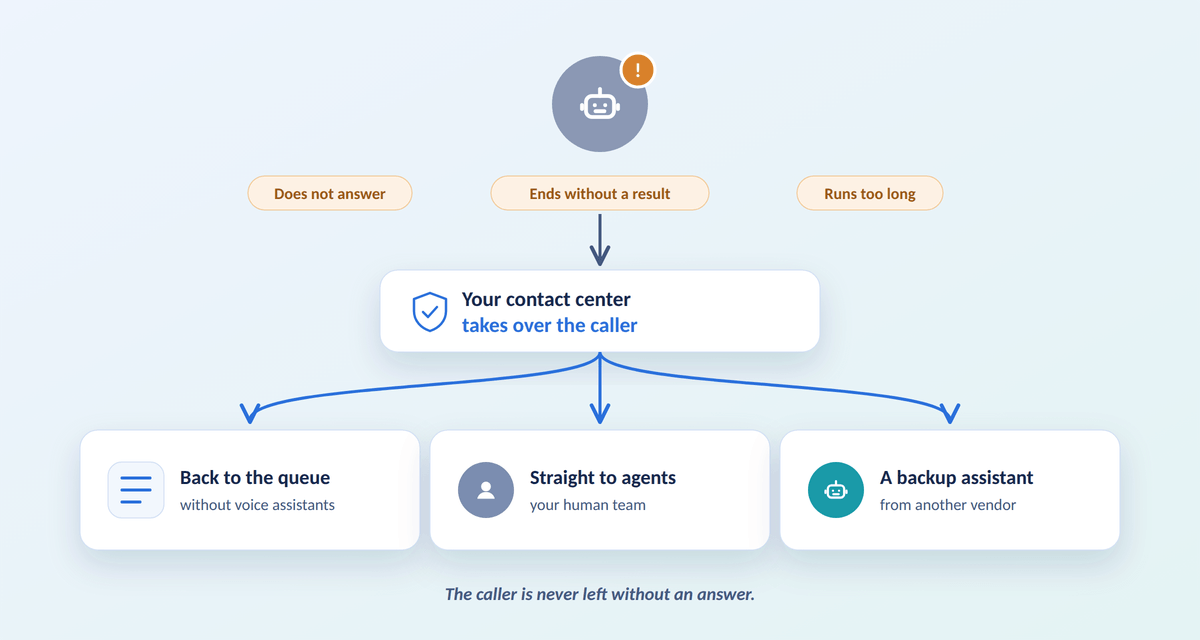
New hires have off days, and software has outages. When the assistant is part of the contact center, the contact center notices when something goes wrong: the assistant doesn't answer, ends a call without reporting what to do next, or keeps a caller on the line too long. It then takes over the caller according to rules you set: back to the queue without the assistant, straight to agents, or to a backup assistant. The caller is never left without an answer.
6. Freedom to change vendors
Because routing, phone numbers, reports and call history live in your contact center, replacing the voice assistant is like replacing an agent: the team keeps working. You can also run different assistants for different lines, services or languages, and compare them side by side.
At a glance
| Voice bot as a separate system | Voice assistant as an agent | |
|---|---|---|
| Which calls it takes | Set up in the vendor's platform | Your routing rules, the same as for agents |
| Phone numbers | Often moved or forwarded to the vendor | Your existing numbers and provider |
| Live monitoring | Depends on the vendor | The same screens as your agents |
| Handover to an agent | Often a new call, context lost | Same call; the agent sees the reason and details |
| When it fails | Depends on the vendor | Your contact center takes over the caller |
| Results | The vendor's own metrics | Your reports, the same yardstick for everyone |
| Changing vendor | New setup, history left behind | Swap the assistant; everything else stays |
How to start
You don't need to hand over half your calls on the first day. A careful start looks like this:
- Pick one line or one type of call with clear, repeatable questions, such as booking changes or order status.
- Keep sensitive and VIP calls with agents at first.
- Agree with the vendor what the assistant reports after each call: the reason for a handover, topic tags and the steps of the conversation, with consistent names.
- Decide in advance what happens when the assistant fails, so no caller is ever stuck.
- Tell callers they are talking to an AI. Agree with the vendor how and when this happens.
- Review the flow report every week. Fix the steps where callers get stuck, then widen the scope.
If you already use an IVR, it remains useful: it can still handle menus, identification and language choice before the call reaches the assistant.
How this works in InfoServ CRM
InfoServ CRM doesn't build voice assistants. It connects the one you choose to your contact center, as an agent.
- Routing – the Distributor sends calls to the assistant with the same rules and queues it uses for agents. The assistant is reached over a dedicated SIP connection, and InfoServ CRM stays on the line for the whole call.
- Handover – when the assistant passes a call on, the agent sees its reason, tags and the details it collected. If the call reached the agent because the assistant failed, the agent also sees what happened.
- Fallback – for every failure, you choose what happens: end the call, send it to the queue without voice assistants, or route it again, for example to a backup assistant.
- Your data – you decide what the assistant receives, including whether it sees the caller's number. Everything the assistant sends back stays in your InfoServ CRM, ready for reports, routing rules and Automatic Actions.
It works with the voice assistant vendor of your choice. Learn more about Voice Assistant Integration. Building voice assistants yourself? See how to connect your assistant to InfoServ CRM.
Your voice assistant can be the most patient member of your team, as long as it is part of the team. See how it would fit into your contact center by requesting a free demonstration.